VMware exit
Leaving VMware – without walking into the next dependency.
Broadcom changed the prices and cancelled a partner programme. Anyone moving now should weigh three things: the technology that keeps your options open; the law your data falls under afterwards – and a provider whose prices you can check without a login.
Cloud Computing Server from €13.70/month · Cloud Computing Platform from €46.60/month · no setup fee · cancel monthly
KVM, not containers
Runs on Proxmox VE
Every price public
Cancel monthly

What prompted this
What changed at VMware
Broadcom ended the VMware partner programme for cloud service providers (VCSP) on 31 October 2025; the European cloud association CISPE puts the cumulative cost increase from price hikes, bundling and up-front payment demands at more than 1,000 %.
What hurts most about it is not the number but the manner: a programme companies had built their planning on was gone on a given date. No discount protects you from that – only technology nobody can switch off unilaterally, and a contract you can end monthly. Part of that contract is who holds it: myDC Cloud Services GmbH, an Austrian company with no US parent corporation, jurisdiction Austria – whatever you run with us runs exclusively in Austrian data centers, backups included.
Two routes
Where you can go with Proxmox VE
Proxmox VE is the open-source VMware alternative: full KVM virtualisation, no licence programme that can be cancelled. The only question is where it runs.
In your own server room
Full control, no rental contract, and the licence question is settled. In exchange you keep the hardware cycle, the air conditioning and the responsibility for availability. If that suits you: good. Then we supply the offsite backup for it – one data center does not replace a second.
In our cloud in Austria
The same technology, without the room, the power and the hardware cycle. Your servers run on full KVM virtualisation and Ceph storage, operated by us in ISO 27001 certified data centers in Austria – 99.99 % uptime for every VM, no overcommitment, linear prices, cancel monthly.
Are you an IT provider who lost their white-label model when VCSP ended?
There is a page of its own for that: your brand, your customers, your invoices – on our platform.
The route
Yesterday in the server room, today in our cloud
How involved the move gets depends on where you stand today.
If you already run Proxmox VE
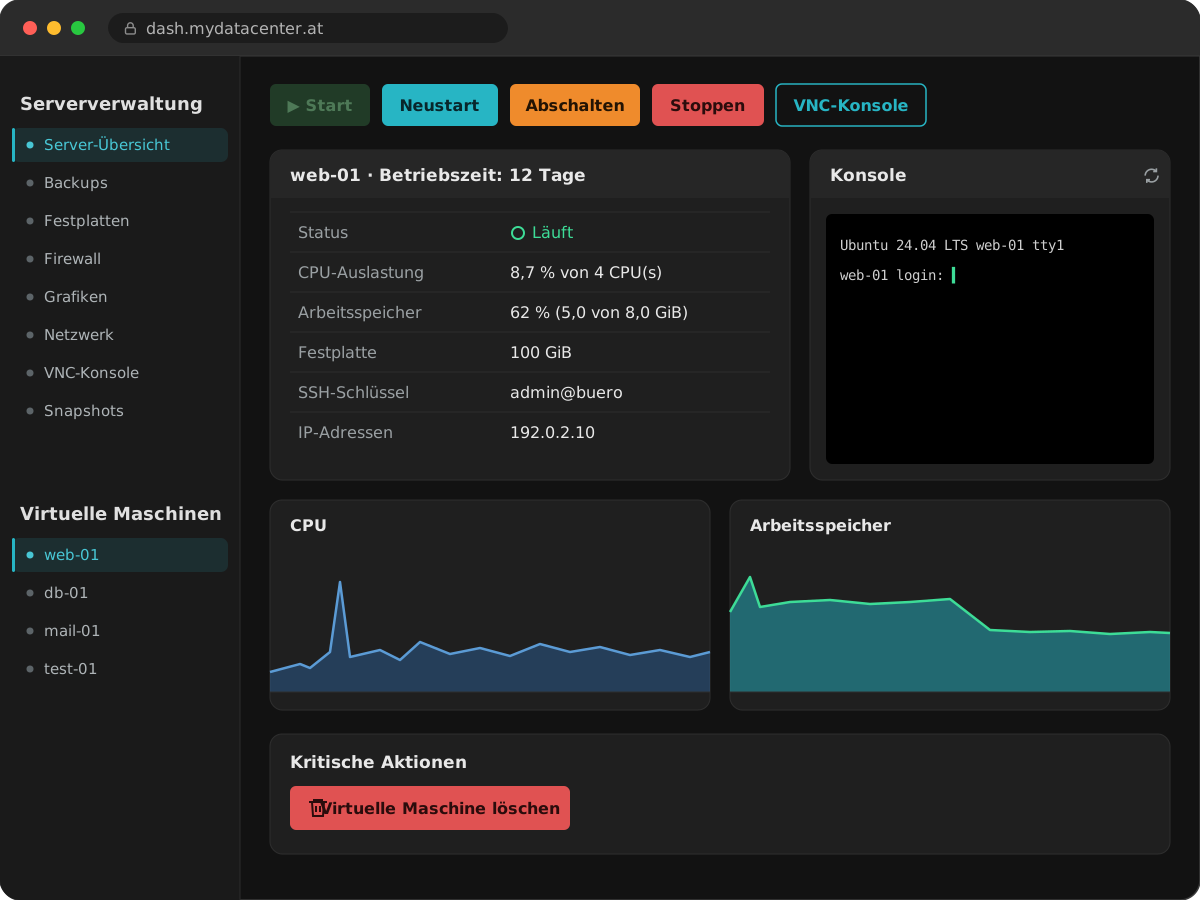
You add our Managed Proxmox Backup Server as a target and back up once. After that, every VM backup starts as a cloud VM with us at the click of a button – the same route you would need in an emergency anyway.
If you are still on VMware
Then converting the virtual machines comes before the move. We plan that with you instead of selling it to you as a click: your contact goes through the environment – how many machines, how much data, which line-of-business applications, what has to run at the same time and what can wait.
Only then the numbers
At the end there is a calculation with your values, not a percentage from a brochure. Every building block for it is public on the pricing page.
Prices
We will not tell you how much you save
There is no number on this page claiming a saving against your current licence. Such numbers do not know your environment – they only know the environment someone used to make the number look good.
What we do instead: write every building block down in public. Five unit prices that every configuration is built from, no login and no small print. That lets you do the maths with your own values – and in the Cloud Check we do it together.
- No setup fee, on any product
- Minimum term of one month, cancel monthly
- 99.99 % uptime for every VM, at no extra charge
- An individual calculation with your numbers instead of blanket savings promises
Verifiable
Not our words – our evidence
In ISO 27001 certified data centersin Austria
100 % renewable electricityin Austrian data centers
Cyber Trust Austriaseal of quality since 2025
Austrian GmbHno US parent, jurisdiction Austria
Data exclusively in Austriaincluding backups
Public status pagefrom our own monitoring history
Frequently asked
Leaving VMware – answered briefly
Do you migrate my VMware machines for me?
We plan the move with you and see it through. Converting the virtual machines to KVM comes before the move – that is project work, not a click, and we do not sell it as one either. What comes after runs in self-service: creating VMs, snapshots, restores without a ticket. What we run for you on a permanent basis and what stays with you is set out under Managed servers from Austria.
Will my Windows VM keep running after the move?
Yes, on the Cloud Computing Platform: KVM runs Windows guests as well as Linux ones. There you install Windows from your own ISO image and add the virtio drivers for disk and network. How your existing Windows VM finds its way to us depends on the application running on it and is part of the changeover. The single Cloud Computing Server starts exclusively from ready-made Linux templates. Questions about Windows licensing are best clarified with us in advance.
Is your platform Proxmox?
Yes. Our cloud runs on Proxmox VE with full KVM virtualisation. So if you already run Proxmox VE today, the move is not a change of technology but a change of location: you add backups from your own environment here and start them as a cloud VM. Proxmox is a trademark of Proxmox Server Solutions GmbH in Vienna; we run the software but are neither a sales nor a certification partner.
What is the difference between Proxmox VE with KVM and vSphere with ESXi?
ESXi is VMware’s hypervisor; vSphere is the package of ESXi plus the vCenter management layer. Proxmox VE combines hypervisor and management in one interface and virtualises with KVM, the hypervisor built into the Linux kernel, together with QEMU. For your machines this means: the disk images are converted from the VMware format into a format for QEMU/KVM, and inside the guest the virtio drivers and the QEMU guest agent take the place of VMware Tools. The operating system in the VM stays the same, and so do your applications. That conversion is what we mean by the changeover that comes before the move.
What does the move cost?
Nothing for the provisioning – there is no setup fee, on any product. The effort of converting your machines depends on the environment; we estimate that together in the Cloud Check before you book anything.
How do I compare my VMware licence costs with your prices?
Broadcom now sells VMware as a subscription only, priced per core and mostly as a bundle (VMware Cloud Foundation or VMware vSphere Foundation); perpetual licences and their support renewals have been discontinued. Take your renewal quote and add what running the hosts costs you on top – hardware, power, space, maintenance. Set that against what the same cores, the same RAM and the same storage cost with us: five unit prices on the pricing page, operation and hardware included. We do not publish third-party list prices; they depend on your contract.
What if I want to leave again later?
Every product can be cancelled monthly and there is no minimum term beyond one month. Your backups are with you anyway – with the Managed Proxmox Backup Server, only you hold the key. For the virtual machines themselves we provide an image on request that you can load at your own site or with another provider. We gain nothing from holding on to you.
Can I start small?
Yes. A single Cloud Computing Server starts at €13.70 per month including the mandatory IPv4 address. If it grows from there, the environment scales linearly at the same unit price.
I am an IT provider, not an end customer.
Then the partner programme is the right page: you sell under your own brand, with your prices and your invoices.
Let us do the maths with your numbers.
The Cloud Check is free and without obligation: 15 to 20 minutes in which we go through your environment and tell you what it costs with us – and whether the move makes sense for you at all. If it does not, we will say so.