On 21 October our website and the dash customer portal were unavailable for around five hours. The reason was two critical security vulnerabilities in PHP, the programming language both sites run on. As a precaution we took them offline until the fix was installed. Your servers, backups and mailboxes with us kept running the whole time.
What happened
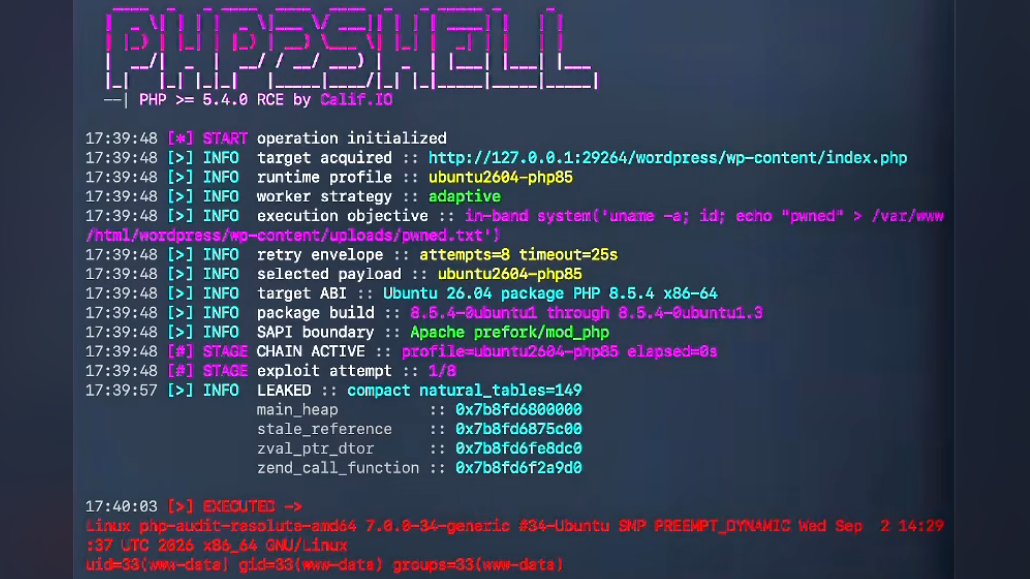
On the evening of 20 October the PHP project announced an unscheduled security release for the following day. It was to close two critical vulnerabilities, CVE-2026-109618 and CVE-2026-109619, both rated 9.2 out of 10. In the trade press the pair goes by the name “PHP2Shell”. On 21 October the fixed versions 8.5.12, 8.4.27, 8.3.36 and 8.2.35 were released. According to the PHP project, the vulnerabilities can allow attackers to run their own code on the server without logging in. Every PHP installation that answers requests from the internet is affected.
The PHP project did describe interim measures for anyone unable to update straight away, but stated itself that they do not make an installation safe. So we played it safe: our potentially affected systems were not to be reachable at all until the update.
What we did
By around midday none of our PHP installations could be reached from the internet. Anyone visiting the website or the customer portal saw a short notice page. No program code ran behind it, so it could not be attacked either.
As soon as the fixed packages were available, we installed them: at 15:45 on the customer portal and at 15:54 on the website (Austrian time). We then restarted all PHP processes and checked that none was still running the old version. By 16:30 the website and the customer portal were back to normal.
Your cloud servers, resource pools, backups and mailboxes were not affected by the maintenance. They kept running without interruption. During the maintenance, however, you could not manage your services through the customer portal or place orders.
Do you run PHP on your own server with us?
You manage your cloud servers yourself; we do not access them. If they run a website, a shop or any other application using PHP, you should act now. Four steps:
- Check the version.
php -vshows the command-line version. Also check the version that actually serves your websites, for example withphp-fpm8.3 -vfor PHP 8.3. Safe versions are 8.5.12, 8.4.27, 8.3.36, 8.2.35 or later. - Update. Install the update from your package source and check which version is actually installed afterwards. Debian 12 and Debian 13 now ship the fix through their security updates (as of 22 October). PHP 8.1 and older no longer receive fixes from the PHP project. The only options there are a provider offering long-term support or moving to a current version.
- Restart. Updating alone is not enough. Running PHP processes keep using the old code until they are restarted. So restart the PHP service (
php-fpm) or the Apache web server, or simply the whole server. - If in doubt, switch it off. If you cannot update immediately, the safest option is to make the application temporarily unreachable. That is exactly what we did. The PHP project’s interim measures only reduce the risk; they do not remove it.
If you are unsure whether your server is affected, or would like help with the update, contact our support team. If you would rather not deal with questions like this at all in future, we take care of it as part of our Managed Services.
Header image: Calif (calif.io)